Skip to content

The Last Stand: Dead Zone without Flash: how to play it in your browser with no plugins or downloads

Yes, you can play The Last Stand: Dead Zone without Flash. This edition opens directly in your browser with no plugin, no extension and nothing to install, using a free account of your own on the game's site. This page explains why the old Flash version stopped opening, which browser to use, what to try when the game does not load, and why you should never install a “Flash Player” from a page you do not know.

  • Free
  • No Flash, nothing to install
  • Your own account, progress saved
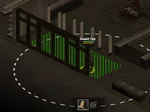
A compound and a scavenging mission from The Last Stand: Dead Zone, a zombie survival game in the browser

Play The Last Stand: Dead Zone without Flash

Here is the game: open it in your browser, create an account of your own and start the tutorial. You do not need Flash, plugins or any download.

A compound and a scavenging mission from The Last Stand: Dead Zone, a zombie survival game in the browser
In beta

The Last Stand: Dead Zone

Build your compound, recruit survivors and head out to scavenge a city overrun by the infected. It plays in the browser and your progress is saved to your account.

In beta: parts of the game may still be missing and errors may appear.

SurvivalStrategyZombies

Why the original stopped opening: the end of Flash

For years Flash was the technology behind animations and, above all, browser games. To use it you needed a plug-in, Adobe's Flash Player, and the original The Last Stand: Dead Zone relied on it to run.

At the end of 2020 Adobe ended support for Flash and browsers began to block it. Since then a game built for Flash does not open in a current version of Chrome, Firefox, Edge or Safari, however many times you retry. It is not a fault of your computer or your connection: that technology simply no longer runs.

The original also needed its online server, and those servers closed. So there were two separate reasons it could not be played: no Flash in the browser, and no server to connect to.

What “without Flash” means for this edition

On FB Games the game is served as a single web client of its own, backed by a server of its own. There is no plug-in to enable, no extension to add and no program to download: you open deadzone.fbgamesweb.com, log in and the game loads in the page.

Because it is a separate edition, it also has its own accounts. Progress from the original is not imported and everyone starts a new compound. It is a beta, so you may meet rough edges, and the game is in English only.

Which browser to use

Use an up-to-date desktop browser. We have not published a compatibility list or minimum requirements, so if the game misbehaves in one browser, the quickest test is to open it in another one. Keep the browser updated, and allow the site to remember your login, because the game needs you to be logged in.

A computer is the recommended device. The game opens in a phone's browser with touch controls, but its interface is dense and designed for a mouse and keyboard. Our page about Dead Zone on mobile explains what to expect.

Sound works like on any web page: some browsers stay silent until you have clicked on the page once.

The first load

The first visit has to fetch the game's files, so it takes longer than later ones, when your browser already has them. If the first load seems slow, give it a little time before assuming something is wrong, and do not keep refreshing the page.

If the game will not load: what to try, in order

Work through the list in order. One, wait for the load to finish, then reload the page once. Two, update your browser. Three, try another up-to-date browser. Four, open the game in a private window, where extensions are normally off: if it works there, an extension is the cause, so turn off any that block scripts or cookies on the game's site. Five, switch networks, for example from wifi to mobile data. Six, close other tabs or devices where you are logged in, because only one session per account can be open at a time.

If the game opens but something goes wrong during play, log in and open a ticket from the Support page of the game's site, telling us your browser and device. And if a page ever tells you to “install Flash” or “update the player”, do not do it, as the next section explains.

Safety: do not install a “Flash Player” to play

Because Flash no longer works in browsers, any page that asks you to install or update a “Flash Player” so that you can play Dead Zone should make you suspicious. A player downloaded from an unknown site will not bring a game back to life, but it can bring unwanted programs.

The rule is simple: to play The Last Stand: Dead Zone here you download nothing. No Flash Player, no installers, no executable files, no patches and no extensions. If a page asks for any of that, close it. No sign-in through another service is needed either, and the game never needs a password from one.

Start in a minute: create your account and play

Open deadzone.fbgamesweb.com, register with a username and a password and go in. The 34-step tutorial teaches you to build a Workbench, store food and water, welcome your first survivor and run a first scavenging mission. After it, the compound, the city map and the rest of the game open up.

It is free to play. If you like classic games that run in the browser without Flash, the FB Games home page has more of them.
How it works

Three steps and you're in.

  1. Pick a game

    From this home page. Each game opens at its own address, with its own start screen.

  2. Create your account

    A quick sign-up inside the game. Your progress is saved on the server, not in your browser.

  3. Play wherever you like

    You play in your browser, with no Flash and no downloads, on a computer and, depending on the game, on your phone too.

Frequently asked questions about playing Dead Zone without Flash

Can you play The Last Stand: Dead Zone without Flash?

Yes. This edition opens directly in the browser, with no Flash, no plugins and nothing to install. You open the game's site, create an account and play.

Do I need Flash Player to play Dead Zone?

No. Flash no longer works in current browsers and this edition does not need it. If a page asks you to install or update Flash Player to play, do not do it.

Why did The Last Stand: Dead Zone stop working?

The original ran on Flash and on an online server. The servers closed, and Adobe ended support for Flash at the end of 2020, so browsers no longer run that kind of game.

Which browser should I use?

An up-to-date desktop browser. We have no published compatibility list, so if the game misbehaves in one browser, try another before changing any settings.

What do I do if Dead Zone will not load?

Wait for the first load, reload once, update your browser, try another one, test in a private window with extensions off, switch network and close other sessions of your account. If the game opens but fails later, open a ticket from Support.

Is it safe to download a Flash Player or a program that “makes Flash games work”?

No. Nothing you download from an unknown page is needed to play this edition, and such files can carry harmful programs. There is nothing to download here.

Do I need to install an extension or a plugin?

No. It runs in the page itself. Extensions that block scripts or cookies can even get in the way, so turn them off for the game's site if it will not load.

Can I play without Flash on my phone?

It opens in a phone's browser with touch controls, but it is built for a computer and has a dense interface, so a computer is the recommended way to play.

Do I keep my progress from the Flash version?

No. This is an independent edition with its own server and accounts, and nothing from the original is imported. What you play here is saved on the server.

Is playing without Flash free?

Yes. Playing is free. Donations are voluntary and optional.

Brand notice: The Last Stand: Dead Zone is an original game by Con Artist Games and is in beta here. This is a browser edition: FB Games is an independent project and is not the official Con Artist Games site.

Play The Last Stand: Dead Zone without Flash, right in your browser

Creating an account takes a minute, and you play straight from your browser.