Skip to content

Play Empires & Allies online: empire strategy in your browser

Empires & Allies is a strategy game: you build your base on an island, produce coins, wood and oil, recruit troops and vehicles and send them into battle. You play it in your browser, with no Flash, and your empire is saved to your account. It's in beta, so you may run into bugs.

We're still in development, so you may run into bugs.

  • Free
  • No Flash, nothing to install
  • Your own account, progress saved
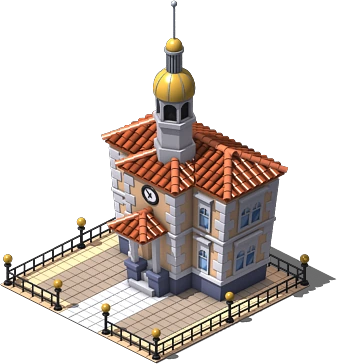
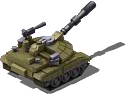
Town hall, tank and observation balloon from Empires & Allies, a strategy game in your browser

What is Empires & Allies

Empires & Allies is a military-themed strategy browser game, originally from Zynga. You start with a small base on an island and build homes, farms and production buildings that bring in coins, wood and oil.

With those resources you recruit troops and vehicles, such as tanks and aircraft, and grow your empire.

How to play

Tap a building to see what it can do and put up new ones from the build menu. When a farm or an oil well finishes producing, an icon appears above it: tap it and the resource is added to your storage.

As you level up, new buildings and units unlock. With your troops you head out on missions to earn experience and rewards.

Empires & Allies with no Flash

Empires & Allies runs directly in the browser, with no Flash. There's no Flash to install, no plugins and no program to download: you open the page, log in with your account and play.

On PC and on mobile

Empires & Allies is designed to be played in a computer browser (Chrome, Firefox, Edge or Safari). The mobile experience isn't adapted yet, so for the best experience we recommend a PC.

A server of our own, in beta

Empires & Allies runs on a FB Games server of its own, with accounts separate from Social Empires and Social Wars. Your empire is saved on the server, tied to your account.

We're in beta: the game is still being polished, the tutorial isn't finished and some artwork and menus may not work properly. If you find a bug, tell us on Telegram.

How to get started in 3 steps

  1. Create your account

    Go to allies.fbgamesweb.com and sign up. Creating your account sets up your base on the island with its starting resources.

  2. Build and collect

    Put up buildings from the build menu and tap the icons to collect coins, wood and oil.

  3. Recruit and fight

    Recruit troops and vehicles and send them on missions to earn experience and rewards.

Frequently asked questions about Empires & Allies

How do you play Empires & Allies online?

Go to allies.fbgamesweb.com, create your account and play from your computer's browser. No Flash or installation needed.

Can you play Empires & Allies without Flash?

Yes. This edition runs in the browser with no Flash and no plugins.

Is Empires & Allies free?

Yes, playing is free.

Is there an Empires & Allies server you can play on?

Yes. FB Games runs a server of its own at allies.fbgamesweb.com, with accounts separate from the other games. It's in beta.

Can you play Empires & Allies on mobile?

It's designed for the computer browser, and the mobile version isn't adapted yet. For the best experience, use a PC.

Is my progress saved in Empires & Allies?

Yes. Your empire is saved on the server, tied to your account, and you can pick up from another computer by logging in.

Which languages can you play Empires & Allies in?

In Spanish and English.

Why does it say it's in beta?

Because we're still polishing it: the tutorial is unfinished and some of the artwork and menus may not work properly. If you spot a bug, let us know on Telegram so we can fix it.

Is this the official Empires & Allies site?

No. Empires & Allies is an original Zynga game; this is a browser edition from an independent project.
Brand notice: Empires & Allies is an original Zynga game, and here it is in beta. This is a browser edition: FB Games is an independent project and is not the official Zynga site.

Start playing Empires & Allies

Creating an account takes a minute, and you play straight from your browser.