Skip to content

Wild Ones on mobile: Android, iPhone and PC, what really works today

There is no Wild Ones app or APK for this edition. Wild Ones Rebirth is played in the browser and is designed for a computer screen. It has touch controls (left, right and jump buttons, and tapping the field to aim), but they have only been tested in a simulated phone view and not on real phones. Other games called Wild Ones exist on Google Play, Steam and the App Store, and they are not this game. This page sorts out what works, what does not and how to avoid the wrong download.

  • Free
  • No Flash, nothing to install
  • Your own account, progress saved
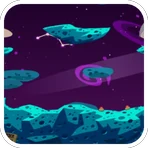
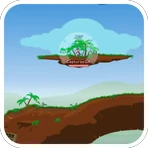
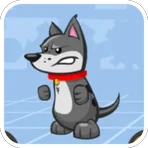
Maps and a pet from Wild Ones Rebirth, a turn-based artillery game with pets in the browser

Open Wild Ones Rebirth in your browser

Here is the game: open it in the browser of your computer, or try it on your phone, create a free account of your own and see how it feels.

Maps and a pet from Wild Ones Rebirth, a turn-based artillery game with pets in the browser
In beta

Wild Ones Rebirth

Pick a pet, aim and fire in turns on destructible maps against other players or bots. It plays in the browser and your progress is saved to your account.

In beta: parts of the game may still be missing and errors may appear.

ArtilleryTurn-basedPets

The short answer for Android, iPhone and PC

On a computer, Wild Ones Rebirth works in your browser with a mouse and a keyboard, and that is the setup it is designed for. On Android and iPhone there is no app to install. You can open the same site in your phone's browser, but the touch controls are new and have only been tried in a simulated phone view, so we cannot promise a smooth experience.

There is no APK and no listing in Google Play or the App Store for this edition. If someone offers you one under the name Wild Ones Rebirth, it does not come from us.

Why you find other Wild Ones apps

Wild Ones is a common name. Searching for it on a phone brings up listings for other games, some of them with extra words in the title, such as Battle Stadium. They are made by other companies, have their own accounts, rules and support, and are not this edition or the old Playdom game from Facebook.

We do not judge them; we only want you to know which one you are installing. If what you remember is the Facebook game with pets, aiming and wind, that is the one this edition is based on. If you installed a different game by mistake, its own developer is the one to ask for help.

Playing on a computer: the recommended way

Any desktop or laptop with a recent browser is enough. In our measurements the game runs at about 60 frames per second on a desktop computer without a dedicated graphics card, and it can draw at up to twice the standard resolution on sharp screens.

The mouse suits the aiming, and the keyboard gives you quick access to everything else: A and D to walk, Space to jump, number keys to pick weapons and Enter to chat. You also get sound, a fullscreen button and the zoom controls. Our guide on how to play Wild Ones covers them all.

Touch controls: what exists today

On devices with a touch screen the page adds three buttons during a match: left, right and jump. You tap the field to aim, and you hold and release to fire, and you choose weapons from the weapon bar. The layout adapts to narrow windows and works in portrait or landscape. On iPhone the fullscreen button is hidden because the browser does not offer that function.

What has not been checked: real phones and tablets. The touch controls were tried in a simulated mobile view in Chrome, and no report from real devices exists. Keyboard features, such as chatting during a match or zooming with the wheel or Page Up and Page Down, are listed for computers only.

Trying it on a phone or tablet anyway

If you want to try, use a recent version of Chrome, which is the only browser it has been tested in so far. The maps are twice as wide as they are tall, so a wide field generally fits better with the phone held sideways. Use a steady connection, because matches are played online, and expect rough edges: this is a beta.

One practical point: only one game session per account can be open at a time. If you log in on your phone while the game is open on your computer, the older session is closed. The game is saved on the server, so the same account carries your progress between devices.

If something fails, open a ticket with the Support button in the game and say which phone and browser you use. That helps decide what to fix first.

What not to download

Wild Ones Rebirth is only played in the browser. Do not install an APK, a launcher or an app from a video description, a file-sharing page or a mirror site that claims to be this edition. Our page on the Wild Ones download explains how to spot fake downloads and why there is nothing to install.

The safest way to reach the game is from its own address, wildones.fbgamesweb.com, or from the card on the FB Games home page.

How it works

Three steps and you're in.

  1. Pick a game

    From this home page. Each game opens at its own address, with its own start screen.

  2. Create your account

    A quick sign-up inside the game. Your progress is saved on the server, not in your browser.

  3. Play wherever you like

    You play in your browser, with no Flash and no downloads, on a computer and, depending on the game, on your phone too.

Frequently asked questions about Wild Ones on mobile

Is there a Wild Ones app for Android?

Not for this edition. Wild Ones Rebirth is played in the browser and has no app. Other games called Wild Ones exist in Google Play, but they are different games made by other companies.

Is there a Wild Ones version for iPhone or iOS?

There is no iPhone app either. You can open the site in your iPhone's browser, but the game is designed for computers and has not been tested on real phones.

Is there a Wild Ones APK?

No. We do not offer any APK, and any file that claims to be Wild Ones Rebirth as an APK is not ours. Do not install it.

Can I play Wild Ones Rebirth in my phone's browser?

You can open it, and it shows left, right and jump buttons during a match, with a tap on the field to aim. But those controls have only been tried in a simulated phone view, so we cannot promise they work well on every phone.

Is it the same game as Wild Ones on Google Play, Steam or the App Store?

No. Those are other games that share the name and are made by other companies. Wild Ones Rebirth is a browser edition based on the old Playdom game from Facebook.

Can I play Wild Ones on PC?

Yes, and a computer is the recommended device. Open the site in a recent browser, create an account and play with the mouse and keyboard. There is nothing to install.

Should I play on a computer or on a phone?

On a computer, if you can. The controls are made for a mouse and a keyboard, and the touch controls have not been tested on real phones.

Can I use the same account on my phone and my PC?

Yes, the progress is saved on the server and belongs to the account. Only one session can be open at a time, so logging in on one device closes the session on the other.

Is Wild Ones on mobile free?

Yes. Playing is free and there are no mandatory payments. Remember that the game itself is in Spanish today, with some English.

Where do I report a problem on my phone?

Use the Support button inside the game to open a ticket, telling us the phone and browser you use. You need to be logged in, and you can attach a screenshot.
Brand notice: Wild Ones is an original game by Playdom, and Facebook is a trademark of Meta Platforms, Inc. Google Play, Steam, the App Store and the names of other games called Wild Ones belong to their respective owners. FB Games is an independent project and is not affiliated with or endorsed by Playdom, Facebook or Meta. This is a browser edition made by fans.