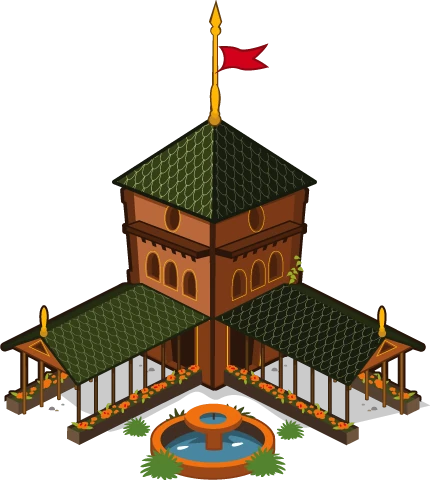


Available
Social Empires
Build your village, train troops and defend it from the trolls. You play in your browser, and your village is saved to your account.
You do not need to download Social Empires: this edition runs straight in your browser, free, on PC and on mobile, with no installer, no launcher and no APK. You open the page, create an account of your own and start your village. Here are the steps, what you really need, and how to spot the fake downloads going around.
The card below opens the game in your browser. Create your free account and start without saving a single file, on your computer or on your phone.
Build your village, train troops and defend it from the trolls. You play in your browser, and your village is saved to your account.
The short answer is no. This edition of Social Empires has no installer, no launcher and no APK file to fetch: it opens in a browser tab like any other web page, and you play from there. It works in Chrome, Firefox, Edge and Safari, and the account you sign in with is your own, so you do not need Facebook either.
It is natural that many people search for a Social Empires download. For years it was a Facebook game that depended on Flash, and with old games the usual habit is to grab something that makes them run again. Here that step is not needed: the server delivers the game and the browser displays it, so the only program you use is the one you already have.
Playing is free, and having no download also means there is nothing to pay for an installer. If a page asks for money or personal details in exchange for a file to play, you are not on this edition.
Hardly anything. An up-to-date browser (Chrome, Firefox, Edge or Safari) and a stable internet connection. The operating system hardly matters: it works on Windows, Mac and Linux machines, on a Chromebook and on a phone or tablet too, because all that counts is that the browser is current.
The first time you open the game it takes longer than the following times, and that makes sense: the browser has to bring in the game files so it can show it to you. It is not a download you manage and not a program being installed, just the normal loading of a large page. Let it finish without closing or reloading every few seconds and later visits will feel smoother.
If you use extensions that block scripts or ads, keep in mind they can get in the way when something does not load. And the only thing you will create is an account of your own, with its own username and password, unrelated to the ones you use on other sites.
Step 1: open your browser and go to empires.fbgamesweb.com, or visit the FB Games home page and click «Play Social Empires». Step 2: create your account with the name you want other players to see and a password you do not use anywhere else.
Step 3: sign in and wait for the first load to finish. You will see your town hall and a few villagers; send them to gather food, wood, stone and gold and start building. Step 4: bookmark the page or make a shortcut so you can open it with one tap next time. That is all: there is no fifth step involving files.
If you want a walk-through of the first minutes inside the village, the official one is at empires.fbgamesweb.com/how-to-play.
Adobe ended support for Flash at the close of 2020 and browsers stopped running it. Since then many games from that era do not open, and plenty of people go looking for a file that makes them work again. Sites cash in on that demand by offering everything: installers, players, launchers, all-in-one bundles and APKs.
The catch is that a file you run on your machine has far more permissions than a web page. An installer from a doubtful source can bring unwanted programs, aggressive ads or something worse, such as software that steals passwords and accounts, Facebook included, or watches what you type. To play Social Empires here you need none of them, so that risk can be avoided completely.
If you want to know more about what happened to Flash and what to try when a game will not load, this site has a page devoted to playing without Flash.
A few warning signs come up again and again. The first is the file type: if you are asked to fetch or open an .exe or .msi (Windows), a .dmg (Mac) or an .apk (Android) in order to play, be suspicious; a game that opens in the browser needs none of them. The second is being told to turn off your antivirus or the system security warning «because it gives false alarms». No browser game needs that.
The third is being asked for a password: your Facebook one, your email one or your computer's administrator one. An account on this edition is created on the page itself and never requires you to hand those over. The fourth is the packaging: promises of a «free download», an «unlocked premium version» or «unlimited cash», and «download» buttons popping up all over the page. Those cash generators do not exist and are a common trap.
If you have already downloaded something like that, do not open it: delete it. If you did run it, scan your system with your antivirus, change the passwords you used on that machine, starting with your email, and turn on two-step verification wherever you can.
Having no app does not mean you have to type the address every time. The simplest option is to bookmark the page in your browser and keep it on the bookmarks bar, one click away.
If you prefer an icon, many browsers can create a shortcut to the page on the desktop or on your phone's home screen. The name of that option differs from one browser to another and between versions, so look in the menu for words like «shortcut», «add to home screen» or «save as app». It is still the same game in the browser: nothing is saved to your machine.
What matters is that your village is not in that shortcut or on your computer: it lives in your account, on the server. Clearing your history, switching browsers or reinstalling the system will not cost you your progress; you will just have to sign in again.
Since nothing is installed, switching machines is as simple as opening the browser on the new one and signing in with your account. Your village shows up just as you left it, whether on another computer, a relative's laptop, a Chromebook or a phone. There are no files to copy and no installation to «migrate».
On a machine that is not yours, stick to the basics: sign out when you finish and do not let the browser remember your password. That way nobody else gets into your village.
If what you want is to play on your phone, this site has another page with the details of Social Empires on mobile and why this edition has no APK; here it is enough to know that the account is the same on every device.
If the game does not open at all, go over the basics: update your browser, check your connection, try another supported browser and wait for the first load to finish. None of those steps requires installing anything.
If the game opens but something fails inside it, open a ticket from the support button and tell us your device, your browser and what is happening. Donations, which are voluntary and optional, are also requested through a ticket; the whole game can be played without spending anything, and cash comes from leveling up (1 per level) and the daily bonus.
Three steps and you're in.
From this home page. Each game opens at its own address, with its own start screen.
A quick sign-up inside the game. Your progress is saved on the server, not in your browser.
You play in your browser, with no Flash and no downloads, on a computer and, depending on the game, on your phone too.
No. This edition runs in the browser, free, with no installer, no launcher and no APK. You go to empires.fbgamesweb.com, create your account and play.
There is no PC download: it opens in Chrome, Firefox, Edge or Safari, on Windows, Mac, Linux or a Chromebook. Open empires.fbgamesweb.com, create an account and play without installing anything.
Playing is free, but there is nothing to download. If a site offers a «free download» with an installer, launcher or APK, be wary: that file is not needed to play here.
You do not install it: you open the page in your browser and play. If you want it close at hand, bookmark it or create a shortcut from your browser menu; it is still the game in the browser, not an installation.
Yes. With an up-to-date browser and a stable connection it works on all of them, and on a phone or tablet too. With the same account you see your village on any of them.
No. This edition has no APK and no official app; you play in your phone's browser. Do not install a «Social Empires APK» from an unknown site: it can carry harmful programs.
Be suspicious if you are asked for an .exe, .msi, .dmg or .apk, to turn off your antivirus, for your password (Facebook or computer) or if it promises unlimited cash. A game that opens in the browser needs none of that.
No. Flash was retired at the close of 2020 and this edition does not use it. If a page asks you to install or update «Flash Player» to play, do not do it.
Yes. Your village is saved on the server, tied to your account and not to the device. Open the browser on the other computer, sign in and you will find it as you left it. On someone else's machine, sign out when you finish.
Since it is not installed, it does not take up space like a program. The first time, the browser brings in the game files, which is why it takes longer; later visits tend to be smoother. If it stalls, check your connection and update your browser.
Do not open it and delete it. If you already ran it, scan your machine with your antivirus, change your passwords from a clean device, starting with your email, and turn on two-step verification. To play you only need the browser.
Brand notice: Social Empires is an original game by Social Point, and Facebook is a trademark of Meta Platforms, Inc. FB Games is an independent project and is not affiliated with or endorsed by Social Point, Facebook or Meta. Names are used only to describe where the game comes from.
Creating an account takes a minute, and you play straight from your browser.