The short answer for Android, iPhone and PC
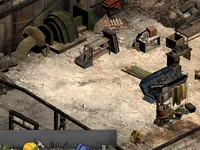
On a computer, The Last Stand: Dead Zone works in the browser with a mouse and a keyboard, and that is the way it is meant to be played. On Android and iPhone there is nothing to install. You can open the same address in your phone's browser and log in with the same account, but the interface is dense and was designed for a large screen, so a computer is the recommended device.
There is no APK and no listing in any phone store for this edition. If someone offers you one under the name of this game, it does not come from us.
Why you find other Dead Zone apps
The name is common. Searching for it on a phone brings up listings for other games, among them titles called The Last Stand, one called The Last Stand: Union City and others called simply Dead Zone, made by other studios. They have their own accounts, rules and support, and they are not this browser edition.
We do not judge them. We only want you to know which game you are installing. If you installed a different game by mistake, its own developer is the one to ask for help.
Playing on a computer: the recommended way
Any desktop or laptop with an up-to-date browser will do. The mouse suits the click-to-move controls of the missions, and the keyboard gives you shortcuts for everything else: W, A, S and D or the arrow keys move the camera, Shift speeds it up, the wheel zooms, Space turns a building you are placing and Esc cancels.
In missions, R reloads, Tab jumps to the next survivor, the keys 1 to 9 and 0 pick one directly, and right click uses the active gear. Our guide on how to play The Last Stand: Dead Zone covers all of them.
Touch controls: what exists and what is not verified
The game supports touch screens. A tap works as a click, dragging moves the camera, pinching zooms and a long press acts as a right click.
What has not been verified is how pleasant it is on real phones and tablets of every size. The menus are crowded and some features rely on keys, such as R to reload, which you can also do by tapping the weapon, and Tab or the number keys to switch survivor. Treat the touch experience as a beta feature, and do not expect it to match a game designed for a phone.
Trying it on a phone or tablet anyway
If you want to try, use an up-to-date browser, hold the phone sideways to get more room and keep a steady connection, because your compound lives on the server. Expect small buttons and a dense screen, and be patient on the first load, which has to fetch the game's files.
A tablet is a better bet than a phone because of the larger screen, though the same caveats apply. The game is in English only, so the labels in our guides are the ones you will see.
One account for phone and computer
Your compound, survivors and progress are saved on the server and tied to your account, so you can start on a computer and continue on a phone, or the other way round. Only one session per account can be open at a time, so close the game on one device before you open it on another. Constructions and the return of your survivors run on timers, so you can close the game and come back later.
What not to install, and where to report problems
The Last Stand: Dead Zone here is only played in the browser. Do not install an APK, a launcher or an app from a video description, a file-sharing page or a mirror site that claims to be this edition. Our page on downloading Dead Zone explains how to spot fake files and why there is nothing to install. The safest way in is the game's own address, deadzone.fbgamesweb.com, or the card on the FB Games home page.
If something fails on your phone, log in and open a ticket from the Support page of the game's site, saying which phone and browser you use. That helps decide what to fix first.