In beta
CityVille
Build your city in your browser: put up houses and businesses, grow crops and collect rent.
In beta: parts of the artwork and of the missions are still missing, and you may run into bugs.

To play CityVille you create a free account on cityville.fbgamesweb.com, press Play and follow Samantha's tutorial: build a house next to a road, click the construction site to finish it, click again to move people in and pick up the XP star. After that, the quest list on the left tells you what to do next. This guide covers what you start with, how energy works, which buildings and crops matter first, the first 15 quests by name and the mouse controls.
Here is the game: open it, create a free account and put this guide to work from your first house.
Build your city in your browser: put up houses and businesses, grow crops and collect rent.
In beta: parts of the artwork and of the missions are still missing, and you may run into bugs.
Open cityville.fbgamesweb.com and choose Create a free account. You pick a username and a password, and an email address is optional. There is no Facebook sign-in. Once the account exists, press Play. A loading screen with tips appears while the game prepares your city, and then the tutorial starts.
Your city is saved to your account, so you can log in again later and carry on, even from another browser. If the loading screen stalls, our no-Flash guide explains what to try.
Samantha guides your first actions. She has you open BUILD, choose a house and place it next to a road. The house starts as a construction site: click it once to build, then click it again to move people in. Finally you pick up the XP star that pops out.
The tutorial ends by telling you to look for your quests on the left, which the game also calls Goals. From there you are in free play and the quest list is your guide. The bakery is not part of Samantha's tutorial: quest 4 walks you through it.
A new account begins with 7,000 coins, 5 City Cash, level 1, 0 XP and 12 out of 12 energy. City Cash is the second currency. You earn 1 more for every level you gain, and it is used to speed things up, unlock buildings earlier and hire construction crew.
Energy comes back at 1 point every 5 minutes. Building, collecting rent or business income, and clearing wild trees each cost 1 energy. Your maximum grows with your level: 12 at level 1, 16 at level 5, 21 at level 10, 23 at level 15, 26 at level 20, 28 at level 25 and 30 from level 30 onward.
Levels need cumulative XP: 4 for level 2, 16 for level 3, 31 for level 4, 78 for level 5, 343 for level 10, 1,563 for level 20 and 3,693 for level 30. Every level you gain also pays that 1 City Cash.
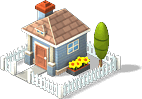
Your starting plot already has roads, four crop plots, Rita's house, a barn and a train station. Open the market from the menu at the bottom of the screen to buy more. The Cozy Cottage costs 200 coins and the Family Townhouse costs 400. The Modern Chateau costs 1,500 and only appears after a quest.
Houses add population, and many early goals and businesses depend on it. Place houses next to roads and watch the population number, because every business asks for a minimum before you can build it. Quest 2, First Neighborhood, asks for a population of 50 and two roads.
Houses also pay rent. Collecting it costs 1 energy, so count it in your energy budget.
You plant crop plots from a crop selector. Here are seven crops with their planting cost and growing time: Strawberries, 20 coins and 5 minutes; Tomatoes, 41 coins and 30 minutes; Eggplant, 28 coins and 1 hour; Watermelon, 36 coins and 4 hours; Spinach, 40 coins and 5 hours; Carrots, 25 coins and 8 hours; and Corn, 62 coins and 24 hours.
Some crops ask for a minimum level: Corn needs level 4, Eggplant level 6 and Watermelon level 9. Short crops suit a moment when you will be back soon, and long ones suit a night away. One quirk to know: the game's own day lasts 23 real hours, not 24.
Businesses need goods to open. When a business finishes, collect its coins and stock it again to repeat the cycle. The ladder, with price and the minimum population required: Bakery, 200 coins and population 10; Flower Kiosk, 400 and 30; Coffee Shop, 600 and 50; Toy Store, 800 and 100; Burger Joint, 1,000 and 150; Diner, 1,600 and 350.
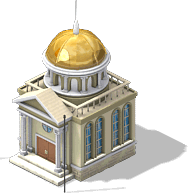
The City Hall costs 1,000 coins and takes up 4 by 4 tiles. A quest unlocks it, and building it needs a crew of three people, which you can hire with City Cash. Other community buildings unlock by level: the Post Office at level 4, the Wedding Hall at level 5, the Police at level 7 and City Works at level 9.
Quests 1 to 15 have been played through with real clicks, in this order: 1, Name Your City, which pays 50 coins; 2, First Neighborhood; 3, the welcome train; 4, Build a Bakery; 5, Farmin' with Rita, whose reward is a bunny; 6, Rita's Rent; 7, The Lost Bunny; 8, The Pastry Tour, where you visit City Sam; 9, The Fussy Baker; 10, Plant a City Flag, which unlocks the City Hall; 11, a newspaper item; 12, Build City Hall; 13, Open New Businesses; 14, another newspaper item; and 15, Clear Trees.
In your first ten minutes you can name your city, place houses until you reach a population of 50 with two roads, take the welcome train, build the bakery and open it with goods, plant and harvest your four crop plots, collect Rita's rent and reach levels 2 to 4. After quest 15 the chain keeps going, so keep checking the list on the left.
Drag the map with the mouse to move around, use the mouse wheel to zoom in and out, and click a building to see its options. The market opens from the bottom menu and has a search box, which is handy when you already know the name of what you want. You can rotate, move and sell buildings, and you can store them in your storage for later.
Sound starts muted. Turn it on with the speaker button in the header whenever you like.
Three steps and you're in.
From this home page. Each game opens at its own address, with its own start screen.
A quick sign-up inside the game. Your progress is saved on the server, not in your browser.
You play in your browser, with no Flash and no downloads, on a computer and, depending on the game, on your phone too.
Open cityville.fbgamesweb.com, create a free account with a username and a password (email is optional), press Play and wait through the loading screen. Then follow Samantha's tutorial: build a house next to a road, click the construction site twice and collect the XP star. CityVille loads in your browser, so there is nothing to install.
A new CityVille account starts with 7,000 coins, 5 City Cash, level 1 and 0 XP, plus 12 out of 12 energy. You earn 1 more City Cash for each level you gain. Your starting plot has roads, four crop plots, Rita's house, a barn and a train station.
In CityVille 1 point of energy comes back every 5 minutes. Building, collecting rent or business income and clearing wild trees each cost 1 energy. The maximum rises with your level, from 12 at level 1 to 30 from level 30 onward.
City Cash is the second currency in CityVille. You gain 1 for every level, and you can use it to speed things up, unlock a building earlier or hire the construction crew that the City Hall needs. Coins, in contrast, come from quests, harvests, rent and business income.
In CityVille, Samantha's tutorial has you place a house next to a road. The Cozy Cottage costs 200 coins and the Family Townhouse 400. Quest 2 then asks for a population of 50 and two roads, so keep adding houses beside your roads. Collecting rent from them costs 1 energy each time.
It depends on the crop. In CityVille, Strawberries take 5 minutes, Tomatoes 30 minutes, Eggplant 1 hour, Watermelon 4 hours, Spinach 5 hours, Carrots 8 hours and Corn 24 hours. Corn, Eggplant and Watermelon also ask for levels 4, 6 and 9.
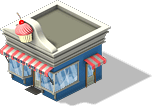
Quest 4, Build a Bakery, guides you. The Bakery costs 200 coins and needs a population of 10 in CityVille. After you place and build it, open it with goods from your crops and collect its coins when it finishes. The next businesses on the ladder, such as the Flower Kiosk, ask for a higher population.
Quest 10, Plant a City Flag, unlocks the City Hall. It costs 1,000 coins, takes up 4 by 4 tiles and needs a crew of three people, which you can hire with City Cash. Quest 12, Build City Hall, then walks you through the construction in CityVille.
Yes. Click a building in CityVille to see its options: you can rotate it, move it, sell it or put it in storage, and take it out again later. The market also has a search box, so you can find a building by typing part of its name.
No. There are no cheats, hacks or free-coin tools for CityVille, and sites or videos that promise them are fake or dangerous. The honest route is quests, harvests and levels, which give coins, XP and 1 City Cash per level.
Brand notice: CityVille is an original game by Zynga. Facebook is a trademark of Meta Platforms, Inc. FB Games is an independent project and is not affiliated with or endorsed by Zynga, Facebook or Meta. This is a browser edition, still in beta.
Creating an account takes a minute, and you play straight from your browser.