Skip to content

Play Ninja Saga online: train your ninja and fight turn-based battles in the browser

Ninja Saga is a turn-based ninja RPG: you create your character, pick your element, take on missions, win battles, level up and upgrade your gear with the gold you earn. You play it in your browser, with no Flash and nothing to install. It's in beta: some parts of the original game are not complete yet and you may run into bugs. The game is in English.

In beta: some parts of the original game are not complete yet and you may run into bugs.

  • Free
  • No Flash, nothing to install
  • Your own account, progress saved
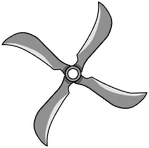
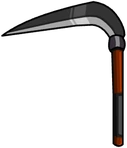
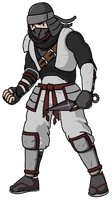
A masked ninja, a shuriken and a sickle from Ninja Saga, drawings taken from the game itself

What is Ninja Saga

Ninja Saga is a turn-based ninja RPG, originally by Emagist. You start with a level 1 ninja: you choose a name, a look and an element, take on missions and fight turn by turn. Experience takes you up the levels, and gold buys weapons and other items to improve your gear.

Ninja Saga began as a Facebook game, and in 2026 you can play it again on this server. You don't need Facebook here: you play in the browser with an account of your own.

How to play

Everything is done with the mouse. You create your account on the website and log into the game with it. When you create your character you choose a name, a gender, a hairstyle and one of five elements: wind, fire, lightning, earth or water. Then you arrive in the village, where the Mission Room is.

Every mission is a turn-based fight: on your turn you attack or cast a skill, and the fight ends when one side runs out of health. Winning gives you experience and gold; experience raises your level, and gold buys weapons and items in the shop, which you equip from your inventory.

Ninja Saga with no Flash

This edition of Ninja Saga runs directly in the browser, with no Flash. There is no Flash to install, no plugins and no program to download: you open the page, log in with your account and play.

On PC and on mobile

Ninja Saga is meant to be played with the mouse in a computer browser. The website adapts to phones, but the game has not been tested on phones or touch screens, so for a good experience we recommend a PC.

Game language

The game is in English: the menus, the missions and the weapon names are the original ones. The FB Games website, with your account, support and the guide, is in Spanish and English.

A server of its own, in beta

Ninja Saga runs on a server of its own at FB Games, with an account that is independent from the ones for the other games. Your character, your level, your gold and your gear are saved on the server and tied to your account, and the server decides rewards and prices, the same for everyone.

We are in beta: some parts of the original game are not complete yet or have not been thoroughly tested, and bugs may appear. If something breaks, open a ticket from Support.

How to get started in 3 steps

  1. Create your account

    Go to ninjasaga.fbgamesweb.com and sign up with a username, an email and a password; the same account works in the game.

  2. Create your ninja

    Choose a name, a gender, a hairstyle and an element, and step into the village.

  3. Take on missions and level up

    Head to the Mission Room, win turn-based battles and spend your gold in the shop.

Frequently asked questions about Ninja Saga

How do you play Ninja Saga online?

Go to ninjasaga.fbgamesweb.com, create your account, create your ninja and play from your computer's browser. No Flash and nothing to install.

Can you play Ninja Saga without Flash?

Yes. This edition runs in the browser with no Flash and no plugins.

Is Ninja Saga free?

Yes, creating an account and playing is free.

Is there a Ninja Saga server to play on?

Yes. FB Games runs a server of its own at ninjasaga.fbgamesweb.com, with accounts independent from the other games. It is in beta.

Can you play Ninja Saga on mobile?

It is meant for a computer browser and is played with the mouse. The website adapts to phones, but the game has not been tested on phones or touch screens. For a good experience, use a PC.

Is my progress saved?

Yes. Your character, your level, your gold and your gear are saved on the server and tied to your account, and you can carry on from another browser by logging in.

What language is Ninja Saga in?

The game is in English, with the original names for missions and weapons. The FB Games website (account, support and guide) is in Spanish and English.

Which elements are there in Ninja Saga?

When you create your ninja you pick one of five elements: wind, fire, lightning, earth or water.

What can you do in Ninja Saga today?

Create your ninja, step into the village, take on missions in the Mission Room, fight turn-based battles with attacks and skills, earn experience and gold, level up, and buy and equip weapons in the shop.

What is still missing in Ninja Saga?

It is a beta: the basics work (creating your ninja, missions, turn-based battles, shop and gear), but other parts of the original game, such as player-versus-player battles (PvP), clans and crews, pets, talents, Senjutsu or events, are not available yet or have not been thoroughly tested, and some village screens, such as the clan and crew ones, only show a notice.

Is Ninja Saga a Facebook game? Do I need Facebook to play?

Ninja Saga began as a Facebook game by Emagist. Here you don't need Facebook or any other social network: you create an account of your own and play straight in the browser. It is an independent edition with no ties to Facebook, Meta or Emagist, and progress from the original game is not imported.

Is this the official Ninja Saga site?

No. Ninja Saga is an original game by Emagist; this is a browser edition made by an independent project.

Brand notice: Ninja Saga is an original game by Emagist and is in beta here. This is an independent browser edition: FB Games is not affiliated with Emagist or Facebook, and is not the official site.