How do I create my Car Town account?
Open cartown.fbgamesweb.com and use the sign-up form. Pick a username of 3 to 24 characters (letters, numbers, dots, hyphens and underscores) and a password of 8 or more characters. The email is optional. There is nothing to download, and Facebook is not involved at any point.
The account is yours alone: your progress is saved on the server and tied to your own Car Town account. Starting from your old Facebook game is not possible, because progress from it is not imported.
What are the windows that appear when I first enter?
Right after you sign up and enter, a few welcome windows appear one after another. First comes a magazine page saying Welcome to Car Town!, then a Garage Value window announcing your first title, Flimsy Garage, then an event notice and finally the Daily Bonus. Close each one with the X or the OK button.
The Daily Bonus hands you a reward in blue points, and a strip of eight days shows Today, Tomorrow and Day 3 to Day 8. The game adds an extra bonus for each consecutive day, so logging in daily pays off.
How does the tutorial with Rusty work?
Rusty is a neighbor who is already on your list. He greets you and explains that this is your garage, where you can do jobs and decorate it however you like.
From there the tutorial walks you through the real loop. Customers queue in front of your garage; you click one to see what they need, start the job at your station and return when it is finished to collect. It then moves on to a customer on the street, the card of a car, Customize and paint, a practice race against another neighbor called Axel, the customization of your avatar and, to finish, your missions and the GPS button.
Take the tutorial all the way through. It is the quickest way to learn the controls, and it ends by pointing you at the missions.
What is on the Car Town screen?
At the top left you find the LEVEL meter, with the garage value bar beneath it, and beside it your coins and your credits, which the game also calls blue points. At the top right is the fuel indicator, which reads Full. Friendly races need no fuel.
Along the bottom runs the bar with My Garage, Edit Garage, Buy Cars and Glove Box, together with your neighbor list, where Rusty and your own garage are already waiting. On the right are the buttons for friendly races and neighbors. On the left, two goal icons with a NEW GOAL! sign lead to your missions.
Buttons in the corners control the photo (Picture), sound, music, quality, full screen and zoom.
How do jobs and activities work?
A job is a task with a timer. Some are done at your station, the lift, and others with a car. You start it, do something else, and come back once it finishes: nothing is paid until you return and collect.
Click a car to open its panel. Under Customize, Picture and Sell you get four activities. Friendly Racing is a free challenge. Road Trip is a long trip where you earn for each passenger. Car Show is a long contest with a prize for first place. Deliver Pizza is a short job.
Do not leave a job at your station waiting for too long: one left for more than twice its duration is spoiled and the work is lost. Collect first when you come back.
How do I buy and paint my first car?
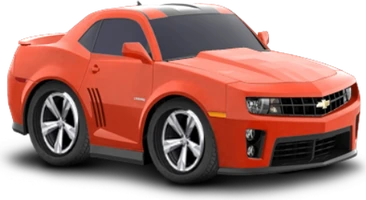
Open Buy Cars, browse or search by name and click a car to see it in the showroom. Compare its class, its performance score and the experience you gain, then press Buy. A few cars warn about maker restrictions, for example that you cannot add tinted windows.
To paint it, click the car, choose Customize and open Paint & Graphics. Pick any color on the palette, or type its RGB values or hex code, and the car changes on screen. Confirm the purchase with your coins and press Done. Painting also earns experience.
The cars and customization guide covers every tab of the editor.
How do I run my first friendly race?
Click a car and choose Friendly Racing, or use the races button on the right. The window lists your neighbors with a GO! button, an Invite Friends! box and a Practice button for training without a rival. Start with Practice: nobody is waiting for you.
Click Start to light the signals. Wait on yellow and click the green button the moment it turns green. Then shift gears three times, as close as you can to the green line without passing it. Your score appears at the end, and you can press Practice again or Exit.
The racing guide has the complete rules and some ideas for scoring higher.
What mistakes should beginners avoid?
The usual slips are small. Some players forget to collect a finished job, or leave a job at their station so long that it spoils. Others press the green button too early and get a foul, or go past the green line when shifting and end up with a negative score.
Another one concerns neighbors: the Neighbors panel warns that changes show up when you reload the game, so reload after sending or accepting a request before you assume nothing happened.
If the game is slow to appear or stays blank at first, read the no-Flash guide before giving up.