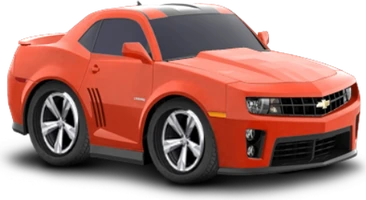
How many cars are there and how is the shop ordered?
The Car Town catalog holds more than 700 cars, and more than 350 of them are on sale in Buy Cars, spread across five classes. Cars from different decades sit side by side, and one of the models we looked at dates from 1965. A few catalog cars still lack finished artwork, though the ones in the shop do not.
The shop has a sort menu with six orders: Added: New to Old, Model Name: A-Z, Manufacturer Name: A-Z, Price: Low to High, Price: High to Low and Level Lock: 1-100. There is also a search box for names. Sorting by Level Lock lists the cars by the level that unlocks them, so you can see what your next levels will open.
What does a car card in Buy Cars show?
Click a car and it appears in a showroom, seen from a three-quarter angle. Next to it you see its name and year, its class, its performance score, a set of color swatches, the experience you gain for buying it (XP Gain), the price and the Buy button.
A few cars carry a warning about restrictions from their maker, for example that they cannot take tinted windows. Read it before you plan a build around that car.
What do class and performance score mean?
The class is a single letter, and among the cars we looked at we saw classes D and B. The performance score is a number: an older model showed 104, while others showed 171 and 368. Use both to compare cars quickly.
The score matters beyond the shop. In friendly races the maximum score you can reach depends on your car's performance, so a car with a higher performance score has a higher ceiling, while your timing decides how much of it you collect.
What tabs does the Customize editor have?
Click one of your cars and press Customize. The editor shows the car large, with eight tabs: Paint & Graphics, Wheels, Tires, Body, Performance, Suspension, Window Tint and Lights. Wheels alone offers 13 pages of rims, and Body starts with the stock body kit and hood. When you finish, the Done button takes you out.
More than 2,000 parts are on sale, so combinations multiply fast. Every part appears on the car instantly, before you pay, and a Buy prompt asks you to accept with the green tick or cancel with the X. Wheels, Tires and Suspension only change the look: rims come in 13 pages and five sizes, tires in several profiles and widths, and Suspension in three heights, Low, Medium and High.
Only the Performance tab adds to the performance score. Its upgrades, such as Engine Upgrade 1 with its +20 badge, must be installed in order, and the next ones stay locked until you do. Prices may change during the beta, so this guide lists none.
How do I paint a car any color?
Open Customize, then Paint & Graphics. The paint tool is a color palette with a brightness slider, plus fields for R, G and B and a hex code field. You can click a shade or type exact values, and the car on screen shows the color instantly as you choose.
When you like it, the game asks you to confirm the purchase with coins, and painting earns experience. The color stays on your car: after reloading the game twice, the painted car was still the same. Press Done when you are happy with the result.
How do I decorate the garage and expand the lot?
Edit Garage opens a shop of objects with tabs for work bays (lifts), storage, functional items, miscellaneous objects, chairs and tables, floors, walls, doors, windows, signs and lot expansions. There are more than 500 objects, and each costs coins or credits. Reset Floor clears your floor choice, and Done closes the shop.
The lot itself grows through 11 expansions, from 10 x 10 up to 40 x 40. A bigger lot means more room for work bays and decoration, so expanding is a natural next step once the first corner is full.
What is garage value and how does it grow?
Garage value is the score of your whole garage. It rises with the value of your cars and objects, and it moves through ten titles: Flimsy, Mediocre, Modest, Noteworthy, Cool, Impressive, Formidable, Awesome, Intimidating and Exalted. You start as a Flimsy Garage, and the bar under the LEVEL meter shows your progress.
Your level is separate: it grows with experience, and each level opens more cars, parts and objects. Completing a car collection also gives a prize, and there are 44 collections to work through.