Skip to content

Car Town without Flash: how to play it in your browser today

Yes, you can play Car Town without Flash. This edition runs in the browser at cartown.fbgamesweb.com with no Flash Player, no plugin and nothing to install: you open the page, log in with an account of your own and play. This guide explains why old Flash games no longer run, what your browser needs, what to try if the game does not load, and what you no longer need.

  • Free
  • No Flash, nothing to install
  • Your own account, progress saved
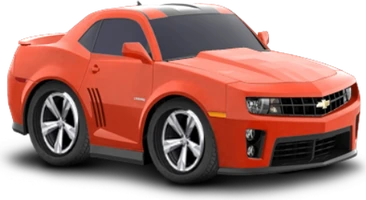
A sports car, a wheel rim and a suspension spring from Car Town, drawings from the game itself

Play Car Town without Flash

Open the page in your browser, create a free account and start your first job. There is no player to install and no plugin to switch on.

A sports car, a wheel rim and a suspension spring from Car Town, drawings from the game itself
In beta

Car Town

Buy cars, paint them any color, put them to work in your garage and race your neighbors in friendly reflex races, in this classic Facebook car game.

In beta: some parts of the original game are missing and you may run into bugs.

CarsGarageRacing

Why do old Facebook Flash games no longer run?

The original Car Town, made by Cie Games, was a Flash game for Facebook. Adobe ended support for Flash Player on December 31, 2020, and browsers have blocked Flash from running since January 12, 2021, so Flash games can no longer be opened in current browsers.

That is why searches such as Car Town no Flash exist: people who played years ago want to know whether there is a way to play again. In this edition the answer does not depend on Flash at all.

How do I play Car Town without Flash today?

Open cartown.fbgamesweb.com, create your account on the sign-up form and enter. That is the whole process: no plugin to enable, no program to download, no APK and no installer.

Right after you enter, a handful of welcome notices show up one after another, the Daily Bonus among them. The X or the OK button closes each one, and none of them means something is broken.

What does my browser need?

A current browser on a computer, used with a mouse. Chrome is the one we have tried. Other browsers are unverified, so we cannot promise they work. If one gives you trouble, open a support ticket and say which it was.

No extra software is needed on top of the browser itself, and you do not have to turn anything on or off.

What if the garage takes a while to appear?

On a first visit, and especially on a slow connection, Car Town can take a while to show your garage. If it is slow to appear, wait a little and keep the tab open. If the screen stays blank for a long time, reload the page.

Later visits are usually quicker, though we have not measured it, so please do not judge the game by a single slow start.

What can I try if Car Town does not load?

Go through these in order. First, wait a little and reload the page. Second, close other heavy tabs and reload again. Third, clear this site's data in your browser's own settings and log in again. Fourth, try Chrome if you were using another browser.

Your progress is tied to your account, so none of this deletes your garage. If the game still does not start, open a support ticket.

What do I no longer need to play?

You do not need Flash, a plugin, a download, an app or an installer. You do not need Facebook either: there is no Facebook login, and progress from the Facebook game is not imported, so you start with a fresh account. And there is nothing to pay for entry: the game is free.

You do need an account of your own, with a username of 3 to 24 characters and a password of 8 or more. The email is optional.

How is this edition related to the original game?

This is an independent browser edition based on the original game. In it you can buy cars, customize them, work in your garage and race neighbors. It is in beta, and parts of the original are missing. The game is in English and Spanish only.

For now the racing side is limited to friendly races. The racing guide lists what is open and what is closed.

How it works

Three steps and you're in.

  1. Pick a game

    From this home page. Each game opens at its own address, with its own start screen.

  2. Create your account

    A quick sign-up inside the game. Your progress is saved on the server, not in your browser.

  3. Play wherever you like

    You play in your browser, with no Flash and no downloads, on a computer and, depending on the game, on your phone too.

Frequently asked questions about Car Town without Flash

Is it possible to play Car Town without Flash?

Yes. This edition of Car Town runs in the browser with no Flash and no plugins. You open cartown.fbgamesweb.com, log in with your own account and play. There is nothing to download or enable, and it is a free, independent beta.

Do I need Flash Player to play Car Town?

No. Car Town does not use Flash Player in this edition, so there is nothing to install or enable. There is no plugin, no program, no APK and no installer. You only need a browser and an account of your own.

Why do Flash games like the original Car Town not run any more?

The original Car Town was a Flash game for Facebook. Adobe ended support for Flash Player on December 31, 2020, and browsers have blocked Flash since January 12, 2021, so Flash games no longer run in current browsers. This independent edition, based on the original, does not need Flash.

Do I have to download anything to play Car Town?

No. You play Car Town directly in your browser, with no installer, no APK and no app. The first visit can take a while to show your garage, especially on a slow connection. If that happens, wait a little, and if the screen stays blank for a long time, reload the page.

Which browser should I use for Car Town?

Chrome on a computer is the safest pick, because it is the only browser we have tried. Other browsers are unverified, so tell us in a support ticket if one gives you trouble. Use a mouse, since the game is played with clicks.

What if Car Town takes long to load the first time?

If your garage takes a while to appear, wait: a first visit can be slow, especially on a slow connection. Keep the tab open meanwhile. If the screen stays blank for a long time, reload the page and log in again. Your progress stays with your account.

Car Town will not load. What can I do?

Wait a little and reload the page, then close other heavy tabs and reload again. If that fails, clear this site's data in your browser's settings, log in again and try Chrome. If Car Town still will not start, open a support ticket.

Why does Car Town show several windows when I enter?

They are welcome notices, and the Daily Bonus is one of them. In Car Town they are a normal part of a first visit and not errors. Each one has an X or an OK button, so you can close them as you read, and nothing needs to be installed or fixed.

Do I need Facebook to play Car Town without Flash?

No. You create an account of your own with a username and a password, and the email is optional. This edition has no Facebook login, nothing asks for a Facebook password, and progress from the Facebook version of Car Town is not imported.

Does Car Town without Flash work on a phone?

We have not tried it on a phone, and the game is built for a computer screen and a mouse. Start on a computer. If you try a phone anyway, a support ticket telling us how it went is welcome.

Brand notice: Car Town is an original game by Cie Games. Facebook is a trademark of Meta Platforms, Inc. FB Games is an independent project and is not affiliated with or endorsed by Cie Games, Facebook or Meta. This is a browser edition. Adobe, Flash and Chrome are trademarks of their respective owners.

No Flash, nothing to install: play Car Town now

Creating an account takes a minute, and you play straight from your browser.

Play Car Town