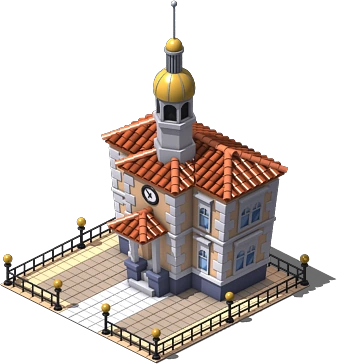


In beta
Empires & Allies
Empire strategy in your browser: build your base, produce resources and recruit troops and vehicles.
We're still in development, so you may run into bugs.

There is no Empires & Allies download: no installer, no APK, no EXE and no app. You play it for free in your browser by creating an account, and nothing is installed on your computer or phone. That also makes this page your strongest protection against fake downloads, because any file that promises Empires & Allies is not part of this edition. Below you will find the three steps to start, what the account asks for, the warning signs of fake downloads and the truth about the 2015 mobile game.
Here is the game: open it, create your free account and start playing straight from the page.
Empire strategy in your browser: build your base, produce resources and recruit troops and vehicles.
We're still in development, so you may run into bugs.
No. FB Games offers no installer, no APK, no EXE and no app for Empires & Allies. You open the web page, sign in and play in the browser, with no Flash and nothing to install.
That is also why there is nothing to update by hand: the game runs from the page and your island lives on the server, not in a file on your device.
Three steps are enough. First, open the game's page and click “Create my island”. Second, type your commander name, your email and your password twice, and add an island name if you want one. Third, click “Create account and play”, and you land on your island right away, with no confirmation email to wait for.
On later visits you only sign in with your commander name or your email, and your island is where you left it. The game is free to play.
The account asks for a commander name, an email address, a password and, optionally, an island name. Some names are reserved (steele, for one), so if a name is refused, try another. The password can be up to 128 characters long. The email is used to sign in and shows up in your profile.
It does not ask for a Facebook login or any other social network, and there is no checkout inside the game, so it never needs your card details. The server does not send emails or verify addresses, and there is no password reset by email, so store your password safely. You can change it from the account menu.
Be wary of any APK, EXE, ZIP or installer that promises Empires & Allies, of pages that ask you to install Flash Player or an “updater”, of anything asking for your Facebook password or your card details, of surveys you must complete to unlock the game, and of tools that promise free Empire Points or resources.
They are fake or dangerous for simple reasons. The Facebook game no longer exists, the 2015 mobile game is a different title, and this edition only asks for its own commander name, email and password. On top of that, the server calculates costs and rewards, so no file on your computer can add resources.
If you already ran something suspicious, scan your device with your security software and change any password you may have typed there.
No. Flash Player is retired and this edition does not use it, so a page telling you to install it in order to play Empires & Allies is a red flag. Our guide on playing without Flash explains the history.
The same goes for “compatibility packs”, browser extensions and launchers. The game needs none of them.
In May 2015, Zynga released a mobile game with the same name on the App Store and Google Play. It was a reboot and a different game from the Facebook original, and it is not this edition. We cannot tell you whether it is still available or when it closed, because the sources we found disagree.
If you want to look for it, use the official store listing for your platform and check who the publisher is. Nothing you install from there connects to this edition or to your account here.
The answer is never a file. If the game does not load, try “Reload the game” and then “Clear cache and reload” in the bar under it. If it still fails, open a ticket with the Support button in the game, or from the support page once you are signed in.
Tickets are the official way to reach the team, whether you have a bug, an account question, a payment question or a suggestion.
Three steps and you're in.
From this home page. Each game opens at its own address, with its own start screen.
A quick sign-up inside the game. Your progress is saved on the server, not in your browser.
You play in your browser, with no Flash and no downloads, on a computer and, depending on the game, on your phone too.
No. There is nothing to download for Empires & Allies on this site: no installer, no APK, no EXE and no app. You play for free in your browser after creating an account, and the game is saved on the server.
There is no official Empires & Allies APK from FB Games. Treat any APK that claims to be Empires & Allies with suspicion. The game runs in the browser, and the 2015 Zynga mobile game with the same name is a different title.
No. Empires & Allies on this site needs no installer or EXE. You open the page in your computer's browser, sign in with your own account and play. A file that claims to be an Empires & Allies installer is not from FB Games.
Open the game's page, click “Create my island”, enter a commander name, an email and a password, and press “Create account and play”. You go straight into your island in the browser, with no Flash and nothing to install.
No. This edition of Empires & Allies does not use Flash Player, which has been retired. If a page tells you to install Flash, a plugin or a launcher to play Empires & Allies, close it, because it is not part of this game.
No. Zynga released a mobile game called Empires & Allies in May 2015, but it was a reboot and a different game from the Facebook original. It is not the browser edition on this site, and we do not know if it is still available.
Be suspicious of any file, APK or installer promising Empires & Allies, of requests for your Facebook password or card details, of surveys, and of tools offering free resources. This edition only asks for its own commander name, email and password.
Creating an Empires & Allies account asks for a commander name, an email address, a password typed twice and, if you like, an island name. It does not ask for Facebook, and the server does not send emails or verify your address.
No. Tools promising free Empire Points for Empires & Allies are fake or dangerous, because the server calculates everything. The legitimate route is a voluntary donation handled through a support ticket, with points delivered by hand within 24 hours at most.
Yes. Empires & Allies is free to play in your browser. Donations are voluntary, and playing never requires one. The game is in beta, so expect some unfinished parts and report problems with a ticket.
Brand notice: Empires & Allies is an original game by Zynga. Facebook is a trademark of Meta Platforms, Inc. Android, Google Play, App Store and Adobe Flash Player belong to their respective owners and are named only for clarity. FB Games is an independent project and is not affiliated with or endorsed by Zynga, Facebook or Meta. This is a browser edition: there is no official file to download.
Creating an account takes a minute, and you play straight from your browser.