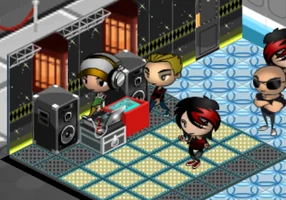
Nightclub City
Book the DJ and the music, throw parties for your guests, stock the bar and grow your club in this classic Facebook nightclub game.
In beta: some parts of the original game are not complete yet and you may run into bugs.
There is no Nightclub City app for Android or iPhone and no APK: this edition plays in the browser of your phone or tablet, just as it does on a computer. It is designed for a computer and a mouse, so phones and tablets work but are still experimental. On a phone the game is shown in portrait. This page says what has changed for phones, what has been tested and what has not, and when a computer is the better choice.


Open the game in the browser of your phone or your computer, create a free account and start. On a phone it is still experimental.


Book the DJ and the music, throw parties for your guests, stock the bar and grow your club in this classic Facebook nightclub game.
In beta: some parts of the original game are not complete yet and you may run into bugs.
No. This edition has no app, no APK and no store listing: it is a website that opens in a browser, on a computer as well as on a phone or a tablet. There is nothing to install and nothing to update.
Booyah did publish its own mobile version of Nightclub City in 2012, for iPhone and iPad. That was a different release by another company; this edition is not an app and is not distributed through any store.
Version 0.1.1, from November 19, 2026, fixed a bug: the game no longer reloads again and again on phones and tablets when the browser bars appear or hide, which left it stuck on the loading screen.
That version also added an automatic retry: if a game file fails to download, the game tries again by itself and, if the connection does not come back, shows a notice with a button to retry.
Almost all of the phone testing was done with emulated phone screens on a computer, between 360 and 430 pixels wide, in portrait: the tutorial, the menus, touch gestures and the retry notice. In those tests the game did not reload and the tutorial could be completed.
What is not confirmed is how it behaves on each real phone: Safari on iPhone, the on-screen keyboard on Android and iOS, performance and memory on a low-end phone. We promise nothing about your specific model.
This edition is designed for a computer and a mouse: the windows, the shop and decorating mode are laid out with a mouse in mind, and the screen holds many icons and windows at once. The game adapts to touch screens, for example with pinch to zoom, but that part is still experimental.
Decorating a club means placing furniture precisely, and the shop lists 456 items in eight categories, which is usually easier with a mouse and a large screen. That is why, for the best experience, we recommend a computer.
Use an up-to-date browser and hold the phone in portrait. If you turn it sideways, the game asks you to turn it upright again. Sign in with your account and you get the same progress as on a computer.
The first visit downloads the game's files, so use Wi-Fi if your data plan is limited. If the page keeps loading or a connection notice appears, press the button to retry.
Any up-to-date browser should open the page, but the game has been checked mainly with Chrome. Safari on iPhone, the Samsung browser and Firefox on mobile are not confirmed, so if something fails, try Chrome.
If you find a problem on your phone, open a ticket from Support and tell us the model, the browser and what you saw. That is how we learn what works on real devices.
Decorating your club, browsing the shop's 456 items and managing the Empire of clubs are more comfortable on a computer with a mouse and a large screen. A club saved from your phone shows up on the computer, and the other way around, because your progress is tied to your account.
Even so, a phone can work for a short session, though expect rough edges. Remember that the game is in English, that the website is in 11 languages and that everything to do with phones and tablets is still experimental.
Three steps and you're in.
From this home page. Each game opens at its own address, with its own start screen.
A quick sign-up inside the game. Your progress is saved on the server, not in your browser.
You play in your browser, with no Flash and no downloads, on a computer and, depending on the game, on your phone too.
No. This edition of Nightclub City has no APK and no app on Google Play. If a site offers an APK that claims to be Nightclub City, do not install it and treat it as a warning sign. On a phone the game opens in the browser, like on a computer.
Not for this edition. Booyah published a mobile version of Nightclub City for iPhone and iPad in 2012, but that is a different release. The FB Games edition is played in the browser of your phone or computer, with nothing to install from any store.
Yes, with a caveat. It opens in the browser of a phone or tablet and accepts touch, but it is designed for a computer and a mouse, and that part is still experimental. On a phone the game is shown in portrait.
It opens in the browser of an Android phone. The game has been checked mainly with Chrome and, on mobile, mostly with emulated screens, not on every real phone. If something fails on your model, tell us with a ticket from Support.
We have not confirmed it. Safari on iPhone is not among what has been verified, so it may or may not work. If it fails, try another browser or a computer, and tell us what happened with a ticket.
No. On a phone the game is shown in portrait and, if you turn it sideways, it asks you to turn it upright so that every button and window fits.
Yes, because your progress is saved on the server, tied to your account. Sign in with the same username and password on the other device and you continue where you left off. There is nothing to import.
The game stopped reloading again and again on phones and tablets when the browser bars appear or hide, and it now retries files that fail to download by itself and shows a notice with a retry button if the connection does not come back.
The game is in English, on mobile and on a computer. The Nightclub City website, with the guide, the rules and support, is available in 11 languages, with a language selector.
Open a ticket from Support on the game's website, pick a category and say what happened, including your phone model and browser. The team answers you inside the ticket. It is a beta, and phones are the least tested part.

Brand notice: Nightclub City is an original game by Booyah. Facebook is a trademark of Meta Platforms, Inc. FB Games is an independent project and is not affiliated with or endorsed by Booyah, Mobage, Facebook or Meta. Android, Google Play, iPhone, iPad, Safari, Chrome, Samsung and Firefox are trademarks of their respective owners. This is a browser edition, still in beta.
Creating an account takes a minute, and you play straight from your browser.