Skip to content

Ninja Saga on mobile (Android and iPhone): what was checked and what was not

Can you play Ninja Saga on Android or iPhone? You can open it in your phone's browser, but it is designed for a PC with a mouse and has not been tested on real phones or touch screens. There is no app and no APK, only the website. This guide separates, honestly, what was checked from what was not, and tells you when to switch to a computer.

  • Free
  • No Flash, nothing to install
  • Your own account, progress saved
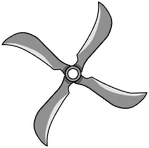
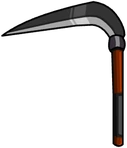
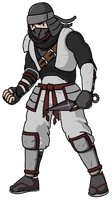
A masked ninja, a shuriken and a sickle from Ninja Saga, drawings taken from the game itself

Open Ninja Saga from your browser

Create your free account and play, preferably from a PC with a mouse. If you try it on your phone and something fails, tell us in a support ticket.

A masked ninja, a shuriken and a sickle from Ninja Saga, drawings taken from the game itself
In beta

Ninja Saga

Create your ninja, pick your element, take on missions, win turn-based battles and upgrade your gear in this classic Facebook ninja RPG.

In beta: some parts of the original game are not complete yet and you may run into bugs.

RPGNinjasTurn-based battles

Can you play Ninja Saga from your phone?

Here is what the website says: the site adapts to the phone, but the game has not been tested on touch screens, and for a good experience you should use a PC. It opens in the browser, with no Flash, so there is nothing to install.

The home page, sign-in and registration pages fit a screen 390 pixels wide without overflowing. The game itself is built for desktop, with a mouse.

What has been checked on mobile?

In one test, a computer simulated an iPhone 13 held sideways and answering taps, and registration, the character creator, entering the village and a page reload all finished without errors. That was a simulation, not a real phone, so it does not show how the game runs on an actual iPhone.

As for browsers, the full walkthrough (registration, creator, a mission, the shop and a reload) was checked in Chrome on a computer. Firefox and Safari only passed automated tests of registration, creator, village and reload.

What has not been checked?

There are no tests on Android, touch zoom, the on-screen keyboard (which you would need to register and name your ninja), full-screen mode or performance on phones.

So we cannot promise it works well on your phone. If you try it and something fails, tell us in a Support ticket with a screenshot: that is how it gets known.

How do the controls work?

Ninja Saga is played with the mouse: combat actions, the Mission Room, the shop and your inventory are all chosen by clicking. Keyboard shortcuts are not documented.

On a phone your taps would have to stand in for clicks, and that is exactly what has not been tried on real phones.

What about speed on slow devices?

Loading was measured on a Mac with Chrome, not on a phone, so those numbers say nothing about yours; you will find them in the Ninja Saga No Flash guide. What is documented is that on very slow machines entering the village can stutter for a few seconds.

On high-density screens the text looks a little less sharp in exchange for smoothness.

Is there an app, and what language is the game in?

The game is in English only; the FB Games website comes in Spanish and English.

There is no app, APK or installer for mobile, so if someone offers you one for Ninja Saga, it is not from this edition. You play on the web, with nothing to download and no Flash.

Should you play on a PC instead?

You can create the account from your phone because the site adapts: a username, an email and a password of at least 8 characters, no Facebook. Then play from a PC. Your character is saved on the server, so you pick up where you left off by signing in from another browser.

And remember it is a beta: the basics work, but parts of the original game are missing and bugs can appear, on mobile too.

How it works

Three steps and you're in.

  1. Pick a game

    From this home page. Each game opens at its own address, with its own start screen.

  2. Create your account

    A quick sign-up inside the game. Your progress is saved on the server, not in your browser.

  3. Play wherever you like

    You play in your browser, with no Flash and no downloads, on a computer and, depending on the game, on your phone too.

Frequently asked questions about Ninja Saga on mobile

Can you play Ninja Saga on mobile?

You can open it in your phone's browser, but Ninja Saga is designed for a PC with a mouse and has not been tested on real phones or touch screens. The website adapts to the phone; the game has not been checked there. For a good experience, use a computer.

Is there a Ninja Saga app for Android?

There is no Ninja Saga app or APK; only the browser edition exists. Android has not been tested at all, so we cannot say how the game behaves on an Android phone. If you try it and it fails, tell us with a ticket and a screenshot.

Is there a Ninja Saga app for iPhone?

There is no Ninja Saga app for iPhone, only the website. In one test, a computer simulated an iPhone 13 held sideways and answering taps, and registration, creator, village and reload finished without errors. It was not a real phone, so we cannot promise it works on an iPhone.

Why is a PC recommended for Ninja Saga?

Because the game is built for desktop, with a mouse, and has not been tested on touch screens. The Ninja Saga website (home, sign-in and registration) does fit a screen 390 pixels wide without overflowing, but that says nothing about the game itself.

Can I create my Ninja Saga account from my phone?

The website adapts to the phone, and registration finished without errors in the simulated iPhone test. It asks for a username, an email and a password of at least 8 characters, with no Facebook. You can then play from a PC by signing in, because your ninja is saved on the server.

Which browser should I use for Ninja Saga on mobile?

The full Ninja Saga walkthrough was checked in Chrome on a computer. Firefox and Safari only have automated tests of registration, creator, village and reload. No browser has been tested on real phones, so we cannot recommend one for mobile.

How do you control Ninja Saga on a phone?

Ninja Saga is played with the mouse, and keyboard shortcuts are not documented. Touch zoom, the on-screen keyboard and full-screen mode have not been tested, so we cannot tell you how it will feel with your fingers.

Is Ninja Saga in English on mobile too?

Yes. The Ninja Saga game is in English only, on mobile as well as on PC. The FB Games website, where you create your account and open support tickets, comes in Spanish and English, with a language selector.

What should I do if Ninja Saga fails on my phone?

Open a support ticket from the website with a screenshot, plus your phone model and browser. Since Ninja Saga has not been tested on real phones, your report really helps. Meanwhile, try again from a computer.

Brand notice: Ninja Saga is an original game by Emagist. Facebook is a trademark of Meta Platforms, Inc. FB Games is an independent project and is not affiliated with or endorsed by Emagist, Facebook or Meta. This is a browser edition, currently in beta. Android, iPhone, Chrome, Firefox, Safari and any other names mentioned are trademarks of their respective owners.

Start your Ninja Saga account and play from a PC

Creating an account takes a minute, and you play straight from your browser.

Play Ninja Saga