Skip to content

Ninja Saga download: nothing to install, and how to avoid fake downloads

You do not need to download Ninja Saga: this edition has no installer, app or APK, and you play it for free in your browser, with no Flash, at ninjasaga.fbgamesweb.com. If something asks you to download a file, a launcher or a program to play Ninja Saga, it does not come from this edition. This guide shows where the site is, how to spot fake downloads, why free gold and token offers are scams and what to do if you already installed something suspicious.

  • Free
  • No Flash, nothing to install
  • Your own account, progress saved
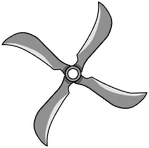
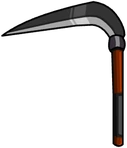
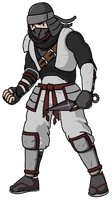
A masked ninja, a shuriken and a sickle from Ninja Saga, drawings taken from the game itself

Play Ninja Saga without downloading anything

Open the game in your browser, create your free account and start. There is nothing to install; the game is in English and in beta.

A masked ninja, a shuriken and a sickle from Ninja Saga, drawings taken from the game itself
In beta

Ninja Saga

Create your ninja, pick your element, take on missions, win turn-based battles and upgrade your gear in this classic Facebook ninja RPG.

In beta: some parts of the original game are not complete yet and you may run into bugs.

RPGNinjasTurn-based battles

Do you have to download Ninja Saga?

No. This edition of Ninja Saga has no installer, app or APK. You play directly on the web, with nothing to download and no Flash, plugins or programs.

That goes for computers and phones alike: do not look for a Ninja Saga app or an .exe or .apk file, because there is no version of this edition to install.

Where is the Ninja Saga site?

The FB Games edition lives on one site only: ninjasaga.fbgamesweb.com. The home page, the guide, support, donations, terms, privacy policy and legal notice are all there. The FB Games hub also has a page for the game, and its ticket center lists it too.

It takes four steps: open the site, create your account, press Play and, the first time, create your ninja. The rest is in How to Play Ninja Saga.

How do you spot a fake Ninja Saga download?

A simple rule: this edition has nothing to download, so any .exe, .apk or “launcher” offered as Ninja Saga is not from this edition. Be wary too of pages that ask you to install a program before letting you play.

This edition is independent: FB Games makes it, it is not the official site and it has no affiliation with Emagist, Facebook or Meta. If a site presents itself as official and asks you to install something, walk away.

And do not open files that arrive through ads, videos or messages promising a “complete Ninja Saga”.

Free gold and tokens: why those offers are scams

Offers of cheats, gold or token generators and tools that promise endless gold for Ninja Saga are fake or dangerous. Usually they are after your password or your data, or they want you to install something harmful. In this edition rewards and prices are set by the server and are the same for everyone.

The terms also forbid cheating, exploiting bugs and modifying the game, and accounts that do so can be suspended.

Nobody on the team will ever ask for your password, and donations are made only inside this website, through a support ticket. Never pay or share details anywhere else.

What does registration ask for, and what does it not?

The sign-up form asks only for a username (3 to 24 characters), an email address, which is required, and a password of at least 8 characters. Facebook and other social networks are not needed.

Only the data needed for the account and the character is stored: no data is sold, and there is no advertising or third-party tracking. The privacy policy spells out what is kept.

Is it free, and how do you donate?

Creating an account and playing Ninja Saga is free. Donations are voluntary and are requested only inside a support ticket, never by other means.

So a link that asks you to pay to “download Ninja Saga” or to “unlock” the game is not from this edition.

What if you already downloaded something suspicious?

If you installed a file that claimed to be Ninja Saga, uninstall it, do not open it again and run an antivirus scan. If you typed your FB Games username or password on a site other than ninjasaga.fbgamesweb.com, change the password right away in your account page, and anywhere else you use the same one.

There you can also see open sessions and close any you do not recognize. If you need help, open a support ticket (account or error category) with a screenshot.

How it works

Three steps and you're in.

  1. Pick a game

    From this home page. Each game opens at its own address, with its own start screen.

  2. Create your account

    A quick sign-up inside the game. Your progress is saved on the server, not in your browser.

  3. Play wherever you like

    You play in your browser, with no Flash and no downloads, on a computer and, depending on the game, on your phone too.

Frequently asked questions about downloading Ninja Saga

Do I have to download Ninja Saga?

No. This edition of Ninja Saga has no installer, app or APK: you play in the browser, with nothing to download and no Flash. All you need is a free account at ninjasaga.fbgamesweb.com, and you press Play.

Is there a Ninja Saga APK?

Not for this edition. If you find an .apk, an .exe or a “launcher” presented as Ninja Saga, do not install it: it does not come from this edition and it can be dangerous. To play, you only need to open the website in your browser.

Where do you play Ninja Saga?

On one site only: ninjasaga.fbgamesweb.com, which holds the home page, the guide, support, donations, terms, privacy policy and legal notice. There you create your free account, press Play and create your Ninja Saga ninja in the browser.

Do Ninja Saga cheats or gold generators work?

No. They are fake or dangerous, and they usually go after your password or try to get you to install something harmful. In Ninja Saga the server sets rewards and prices, the same for everyone, and the terms forbid cheating and modifying the game.

How do I spot a fake Ninja Saga download?

If it offers something to install in order to play Ninja Saga, it is fake: this edition has nothing to download. Be wary of anyone who asks for your password or for a payment outside the website. Nobody on the team asks for your password.

What does Ninja Saga registration ask for?

A username, an email address (required) and a password of at least 8 characters. Facebook is not needed. The privacy policy explains what is stored; no data is sold, and Ninja Saga has no advertising or third-party tracking.

Is Ninja Saga free, and how do I donate?

Creating an account and playing Ninja Saga is free. Donations are voluntary and are requested only in a support ticket in the Donation category; never pay or share details with anyone outside the Ninja Saga website.

What should I do if I downloaded something suspicious about Ninja Saga?

Uninstall it, do not open it and run an antivirus scan. If you gave your FB Games password to another site, change it in your account page and check the open sessions on your Ninja Saga account. If you need help, open a support ticket with a screenshot.

Brand notice: Ninja Saga is an original game by Emagist. Facebook is a trademark of Meta Platforms, Inc. FB Games is an independent project and is not affiliated with or endorsed by Emagist, Facebook or Meta. This is a browser edition with no downloads.

Play Ninja Saga now: there is nothing to download

Creating an account takes a minute, and you play straight from your browser.

Play Ninja Saga